Meet the intelligence
behind your images.
An always-on AI image enhancement agent that understands your images, chooses the right workflow, and brings enhanced results directly into your creative process.

Image enhancement shouldn't interrupt your workflow.
For years, enhancing a low-resolution or degraded image has required an exhausting sequence of manual steps. A designer or photographer working in Figma, Photoshop, or Blender must stop what they're doing, open a dedicated image editing program, import the image file, select an upscaling model, tweak resolution multipliers and denoising sliders, click process, wait for the export, find the file in their file system, and import it back into their creative canvas.
Seven manual steps. Nearly a minute of interrupted focus for every single image.
Meet BIMB: Built-In Image Manipulation Bot
BIMB changes this interaction entirely.
BIMB stands for Built-In Image Manipulation Bot — an AI agent designed to become a natural, built-in extension of your everyday creative workspace. Instead of opening separate software and working through complex multi-step menus, BIMB lives directly on your desktop as an always-on, floating agent bubble.
When you need an image improved, you simply drag it onto BIMB. The agent inspects the asset, diagnoses its specific visual needs, selects the optimal enhancement pipeline, processes the pixels locally on your hardware, and hands the enhanced image right back to your workspace.
Two simple actions. Eighteen seconds. Zero creative disruption.
Drag directly onto BIMB's floating bubble. Autonomous diagnosis routes to the appropriate model, processes on-device, and returns pristine assets instantly.
Context-switching across applications, manual exports, model configuration, waiting in web queues, and tedious re-importing into your active canvas.
Experience BIMB in real time.
Test the workflow yourself. Drag the low-resolution sample image directly onto BIMB's floating mascot bubble below.


Interactive demonstration: This canvas demonstrates how BIMB works. It does not perform actual AI inference or execute BIMB's real agent workflow.

Always within reach. Ready when you are.
BIMB isn't buried in a nested menu or hidden behind multi-step file dialogs. It exists as a lightweight, floating desktop companion that hovers smoothly over your operating system.
-
Persistent Floating BubbleStays accessible while you work across Figma, Photoshop, Canva, Blender, or web browsers.
-
Draggable & DockablePosition BIMB anywhere along your screen perimeter without blocking active artboards or UI panels.
-
Zero Manual Model TuningBIMB analyzes image traits automatically—eliminating guesswork between scale factors and denoising presets.
Fits into your creative workflow.
Your creative workflow shouldn't stop for image enhancement. BIMB stays within reach across the design, 3D, and imaging software you rely on every day.
* Adima AI and BIMB are independent software products. Product names, logos, and brands are property of their respective owners and are mentioned strictly to demonstrate creative workflow compatibility.
See BIMB in motion.
Watch how BIMB transforms creative workflow speed from desktop ingestion to on-device neural enhancement.
Introducing BIMB
The Dawn of Adima Edge AI Agents
The player loads on-demand without third-party tracking scripts prior to user interaction.
Not another image editor. A new way to enhance images.
Rather than applying rigid parameter presets, BIMB examines visual composition, frequency distribution, and artifact levels to formulate an enhancement plan.
Understand the Image
Measures native resolution, spatial blur, high-frequency noise, compression blocks, and dynamic range.
Identify What Needs Work
Pinpoints facial landmarks, linework definition, texture degradation, or vintage photo grain loss.
Select Optimal Workflow
Routes to Face Boost, Real-World 4X/8X reconstruction, Anime sharpening, or selective denoising.
Process On-Device
Executes local tensor inference via DirectML, NVIDIA TensorRT, or CPU without network dependencies.
Return the Result
Presents crisp enhanced assets directly to your workspace or clipboard, ready for instant publication.
One agent. Different creative identities.
Different creative domains require specialized treatment. BIMB adopts three core identities to respect the nature of your visual medium.
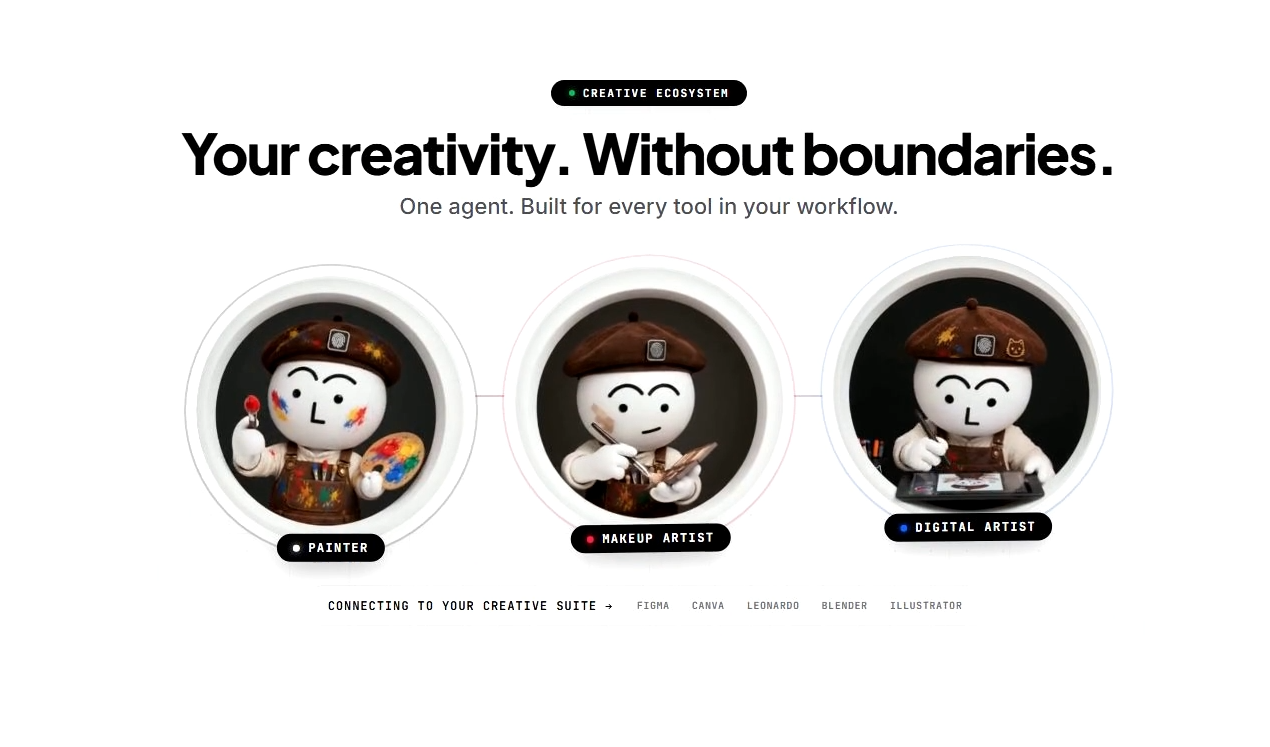
Painter — Bringing Color Back to Images.
Painter understands visual content and identifies images that need color. From black-and-white photographs to monochrome imagery, Painter focuses on bringing color back while respecting the original visual context.
- Understanding image content & context
- Identifying grayscale & faded images
- Colorizing black-and-white photographs
- Natural contextual color recovery
Makeup Artist — Bringing Faces Into Focus.
Makeup Artist specializes in facial enhancement. It focuses on blurry faces, soft facial details, and portrait quality to produce clearer, more refined facial results.
- Face enhancement & recovery
- Blurry face improvement & focus
- Facial detail & iris restoration
- Portrait quality & facial clarity
Digital Artist — Made for Creative Worlds.
Digital Artist focuses on anime, illustrations, digital artwork, and stylized visuals. It adapts image enhancement workflows to creative content where preserving lines, textures, and artistic details matters.
- Anime & manga enhancement
- Digital artwork, illustrations & drawings
- AI-generated & stylized visuals
- Line, texture & artistic detail retention
From one image to an entire collection.
The floating bubble is engineered for rapid, single-image enhancement during focused design sessions. When your workload expands to dozens or hundreds of assets, BIMB scales into Agent Mode.
Always-On Bubble
The persistent companion for rapid, single-asset iterations while actively designing.
- 1-click drag & drop from any app
- Sub-second turnaround for fast feedback
- Floats above Windows Explorer & browser
- Direct return to active canvas
Folder-Scale Agent Mode
Inside Adima AI Pro, point BIMB at an entire folder. It autonomously categorizes and enhances hundreds of files.
- Ingest directories with mixed image types
- Automated per-image model routing
- High-throughput parallel GPU queues
- Organized output folder structure
Your images stay yours.
BIMB runs on Adima's local AI engine. Images never leave your computer, eliminating cloud latency, recurring server fees, and privacy risks.
100% On-Device Processing
Zero cloud uploads. Zero remote servers. Your photographs, confidential client artwork, and private assets remain securely on your local storage.
Hardware Acceleration
Deeply optimized for modern GPUs via DirectML, NVIDIA TensorRT, and CUDA. High inference throughput with robust multi-threaded CPU fallback.
Studio & Enterprise Compliance
Designed for professional studios, agencies, and enterprises with strict NDA requirements. No telemetry on image contents or prompt logging.

Let BIMB handle the pixels.
Spend less time managing image enhancement workflows. Spend more time creating. Experience the always-on agent in Adima AI Pro today.